Follow the steps below to withdraw Fiat/Cash from the SwegzApp to your Bank Account
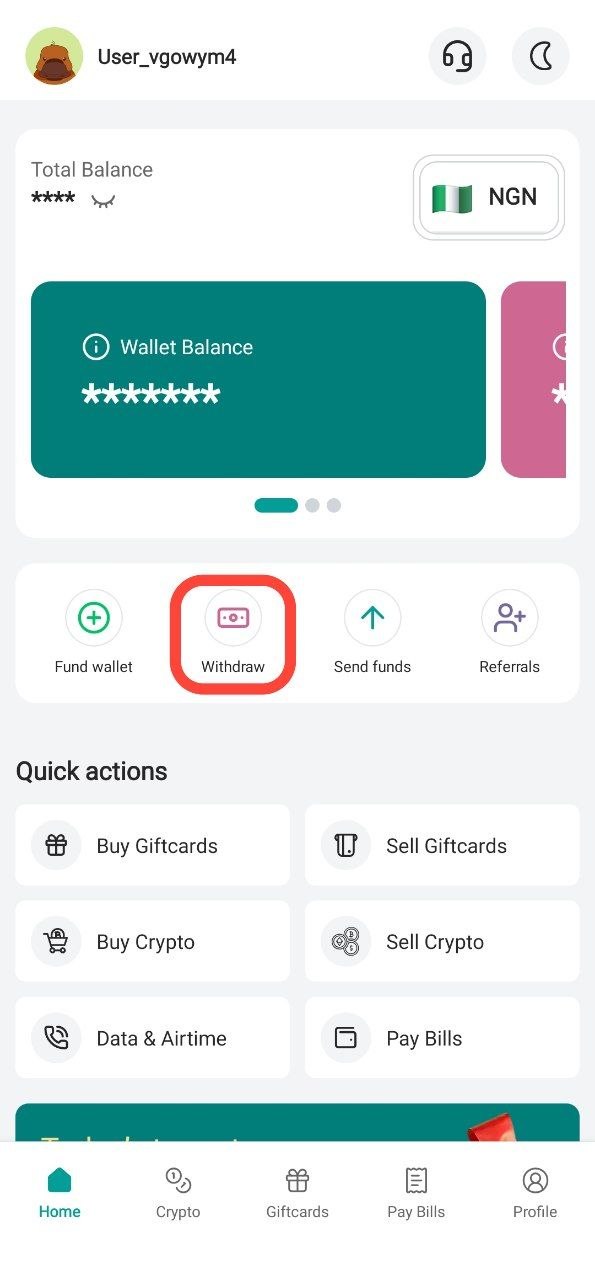
Step 1: Tap "Withdraw"
From the home screen, tap Withdraw
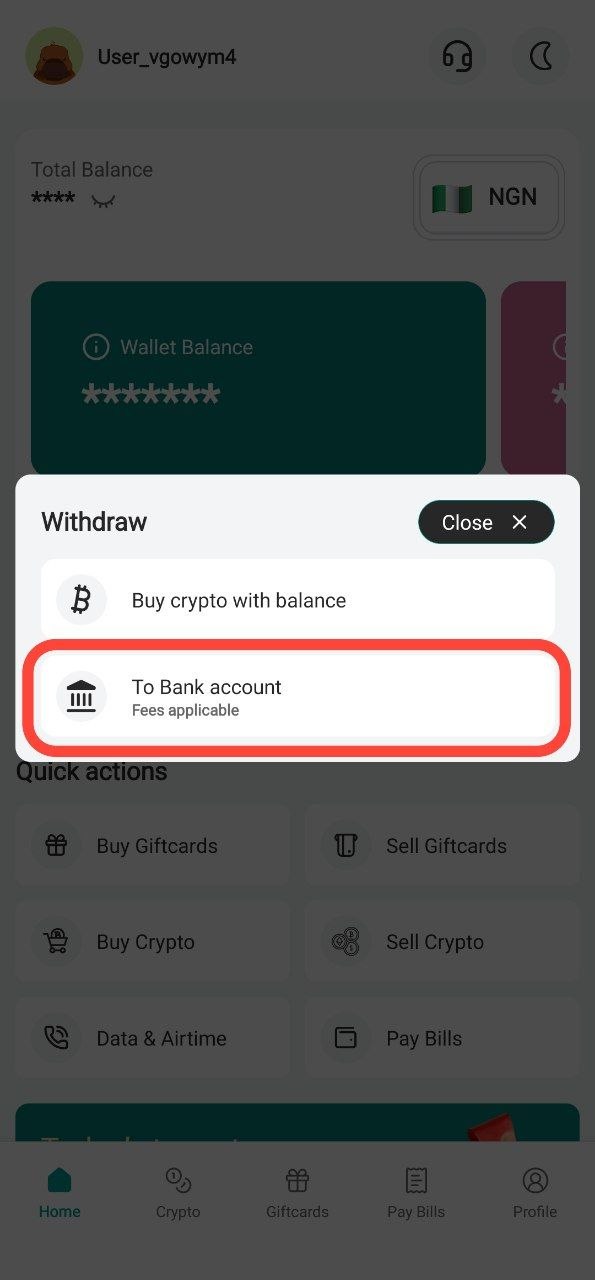
Step 2: Tap "To Bank account"
Clikc on "To Bank account"
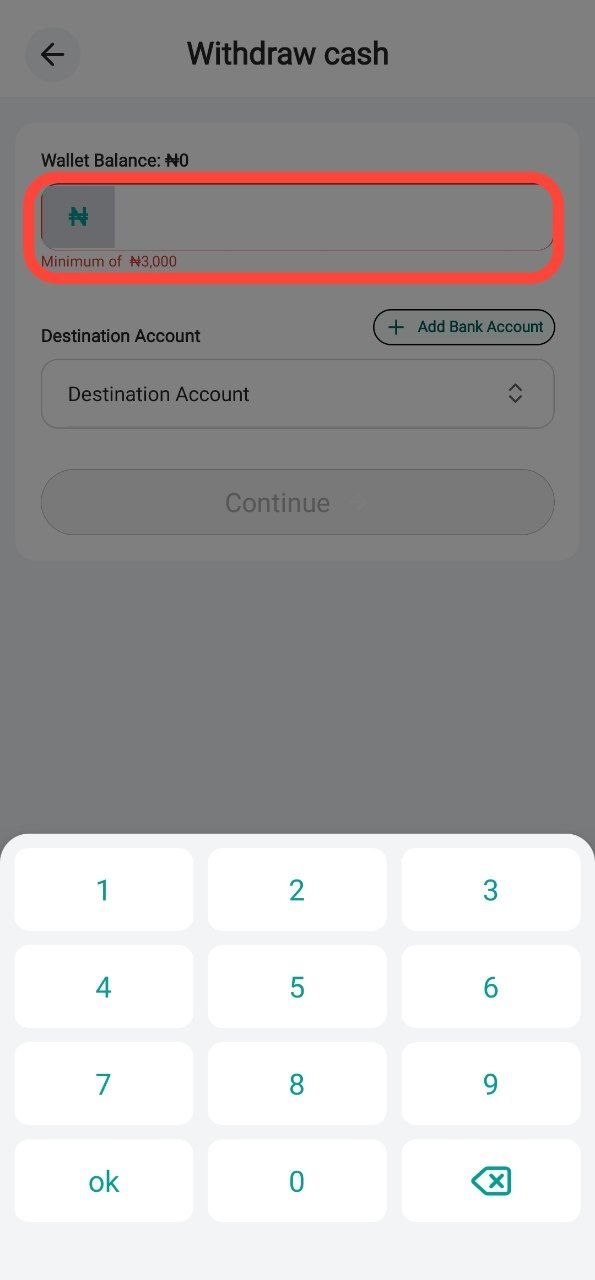
Step 3: Input the ammount
Type out the ammount you would like to withdraw
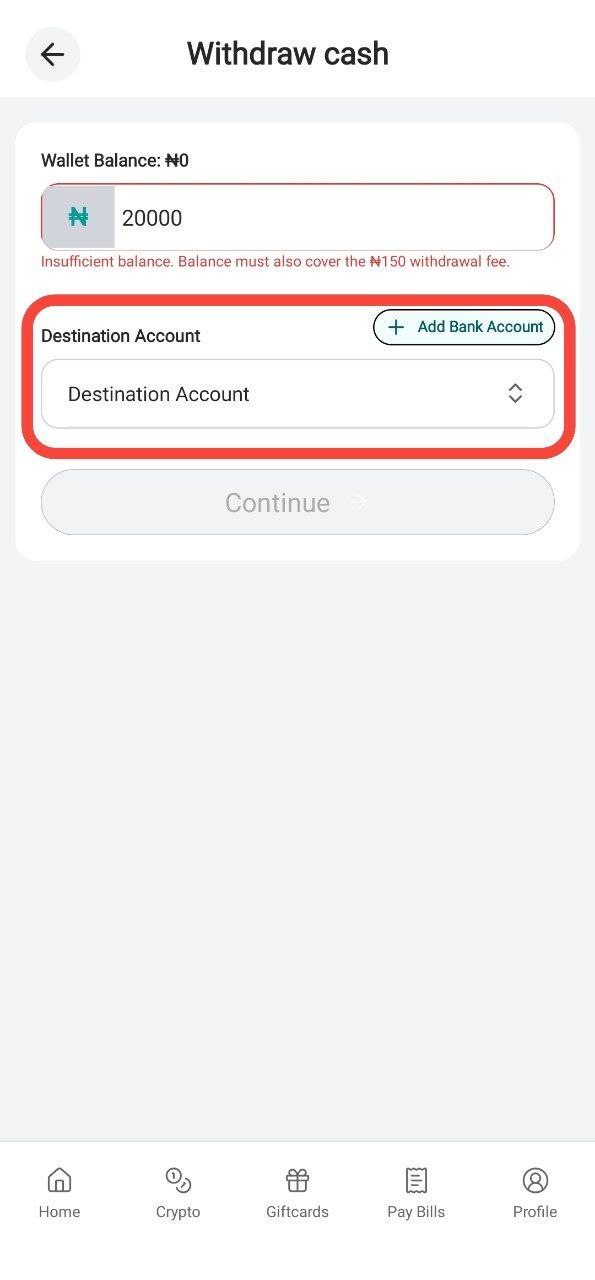
Step 4: Choose you bank account
Choose between previously saved accounts or add a new one
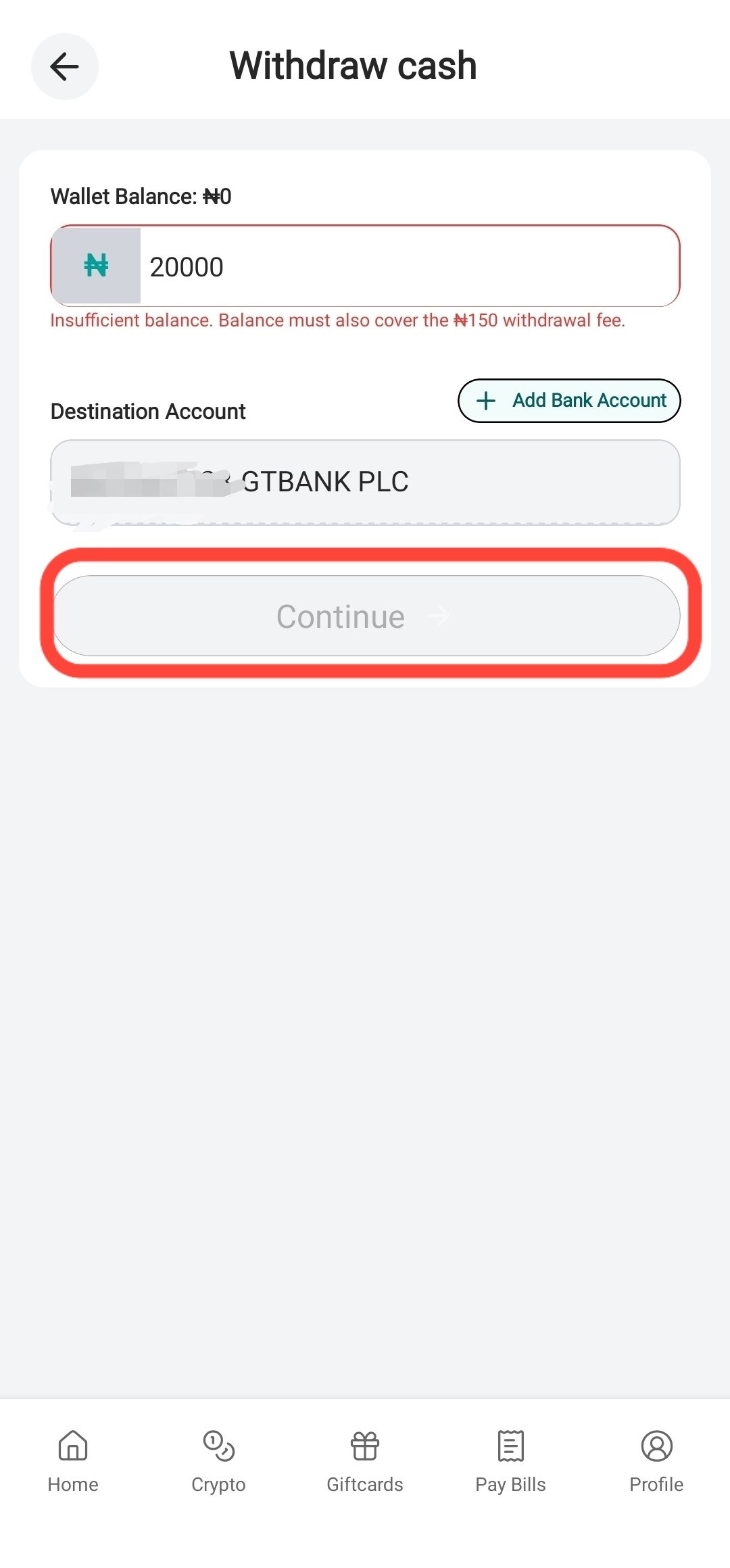
Step 5: Insert Pin
Click "continue", Insert your Pin and your money will be sent shortly
Thank you for using the SwegzApp
Article contributor
Swegz Team
Contributor to Swegz Blog’s practical guides on safer crypto and gift-card decisions.
Browse topics
#Giftcard#crypto#Airtime#Amazon#Data#dollar#Security#Swegzapp#apple#apple card#Apple Pay#Apple Pay Nigeria#Bank#betting#blockchain#bnb#Buy Virtual Card Nigeria#Fiat#Google Pay#Google Pay Nigeria#International Payment Card#International Payments#Mastercard#Mastercard $1 to $150#MTN#Naira#Nigeria#Online Payment Card Nigeria#rates#razor#Scam#sol#sporty#SwegzApp Virtual Card#usdt#utility#Virtual Card#Virtual Mastercard Nigeria#Virtual Visa Card Nigeria#Visa $1 to $150#Visa Card